
LaTeX Document Skill
LaTeX Document Skill turns plain-English requests into compiled LaTeX PDFs — 27 templates, 27 automation scripts, and a vision-OCR pipeline for converting scans into typeset documents, no LaTeX knowledge required.
Last reviewed by the paperbanana team on Jul 13, 2026
Install
git clone https://github.com/ndpvt-web/latex-document-skill.git
cp -r latex-document-skill/latex-document ~/.claude/skills/
bash latex-document-skill/setup.sh # installs TeX Live, Poppler, ImageMagick, Pandoc, Python depsWhat is LaTeX Document Skill?
LaTeX Document Skill is a Claude Code skill for producing publication-ready LaTeX documents from plain-English descriptions, without requiring the user to know any LaTeX commands. The README describes its scope in one line: "you describe a document in plain English. This skill produces a compiled PDF." It ships 27 production-tested document templates (resumes, thesis/dissertation, academic papers, lecture notes, academic CVs, homework, lab reports, scientific posters, books, exams, cheat sheets, business letters, invoices, Beamer presentations, reports), 27 automation scripts, 26 reference guides, 4 OCR conversion profiles, and 217 tests covering all scripts with zero reported failures.
Its most distinctive capability is a vision-OCR pipeline for reconstructing LaTeX from scanned or handwritten source material: pdf_to_images.sh renders pages at 200 DPI, a vision model reads each page, and one of four conversion profiles (math-notes, business-document, legal-document, general-notes) tunes the output formatting — for example rendering handwritten math notes as color-coded tcolorbox theorem/definition/example environments with proper equations and TikZ diagrams. For large scans it splits work into parallel batches (a batch-7 pipeline was validated on a 115-page handwritten math PDF at zero errors per batch), and a companion pipeline condenses an entire textbook (162 pages in the README's example) down to a dense 2-page cheat sheet.
Beyond document generation, the skill includes a smart compilation engine (compile_latex.sh) that auto-detects the right LaTeX engine and bibliography tool from the document's packages, runs multi-pass compilation until cross-references resolve, auto-fixes common issues like missing figure placement specifiers, and translates raw LaTeX errors into plain-English explanations. Supporting scripts cover chart generation (9 types via matplotlib), CSV-to-LaTeX table conversion, Mermaid/Graphviz/PlantUML diagram rendering, mail merge for personalized document batches, version diffing via latexdiff, DOI/arXiv BibTeX fetching, PDF form filling (including non-fillable forms via visual field detection), PDF encryption, and a pre-submission readiness check that verifies packages, cross-references citations, and runs chktex.
Core capabilities
27 production-tested templates
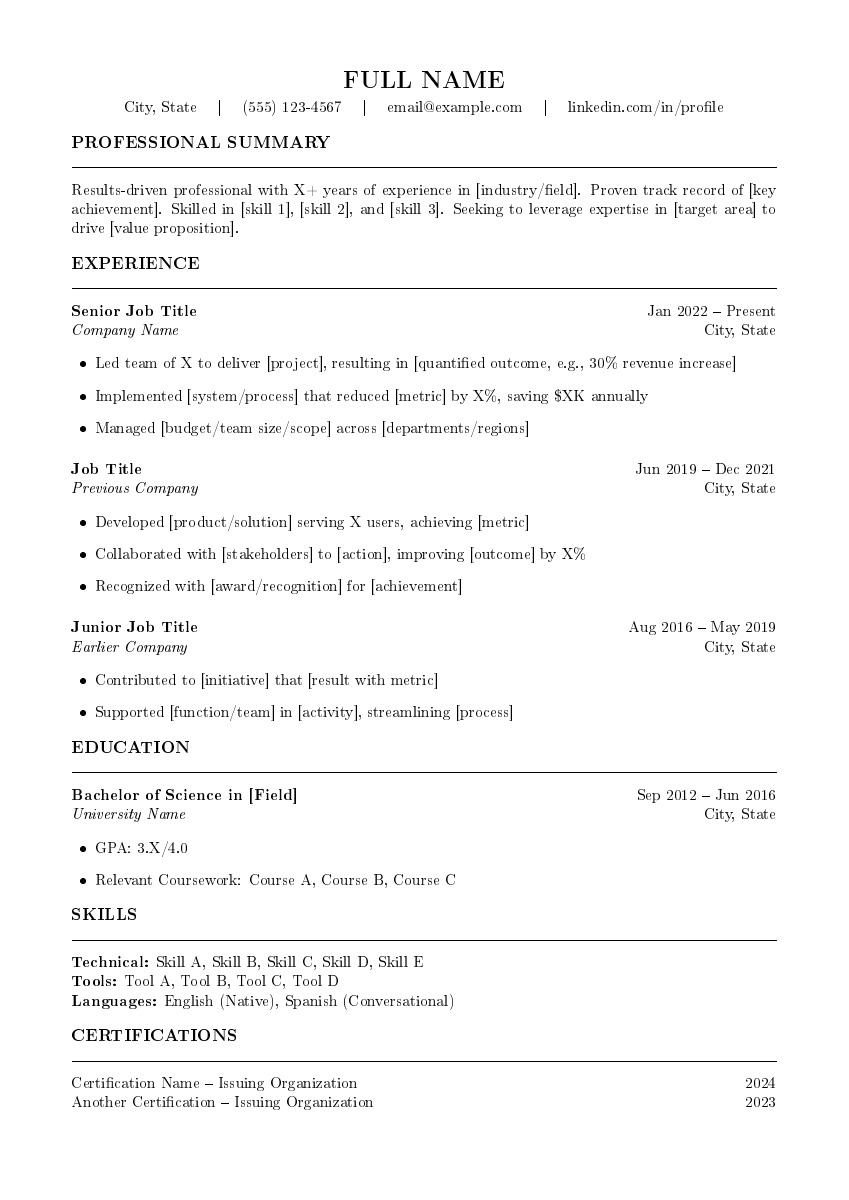
Resumes (5 ATS-optimized variants plus a legacy photo version), thesis/dissertation, academic paper (arXiv-compatible), lecture notes, academic CV, homework, lab report, scientific poster (tikzposter, with NeurIPS/ICML/CVPR/ICLR presets), book, exam, 3 cheat-sheet variants, fillable/conditional/mail-merge documents, business letter/cover letter/invoice, Beamer presentation, and report — each compiled and verified to produce zero errors.
Vision-OCR PDF-to-LaTeX reconstruction
Converts scanned or handwritten PDFs into compilable LaTeX via a page-render-then-vision-OCR pipeline with 4 tuned conversion profiles (math notes, business documents, legal documents, general notes), scaling from single-agent for short PDFs to a parallel batch-7 pipeline for 21+ page documents.
Smart compilation engine
compile_latex.sh (525 lines) auto-detects pdflatex/xelatex/lualatex and bibtex/biber from the document's packages, runs up to 3 passes until cross-references resolve, offers an --auto-fix mode for common issues, and translates raw LaTeX log errors into plain-English explanations.
PDF-to-cheat-sheet condensation
Compresses long documents (the README cites a 162-page textbook) into dense 2-page reference cards using symbol substitution, telegram-style text compression, and a compile-and-verify loop to fit an exact page budget.
Mail merge and data-driven documents
mail_merge.py (574 lines) generates N personalized PDFs from one LaTeX template plus a CSV/JSON/JSONL data source, with simple or Jinja2 templating, parallel compilation workers, and a merged final PDF.
Charts, tables, and diagrams from data
generate_chart.py produces 9 chart types (bar, line, scatter, pie, heatmap, box, histogram, area, radar) from CSV/JSON via matplotlib; csv_to_latex.py converts CSVs into booktabs-style tables; Mermaid, Graphviz, and PlantUML diagrams render inline via dedicated scripts.
What you can use it for
Converting handwritten lecture notes into typeset PDF
Feed in a scanned notebook; the vision-OCR pipeline renders pages, OCRs them in parallel batches, and applies the math-notes profile to produce color-coded theorem/definition/example environments with proper equations and TikZ diagrams.
Building a NeurIPS or ICML conference poster
The poster workflow interactively asks for orientation, layout (traditional column, #BetterPoster, or visual-heavy), and color scheme, then generates a correctly sized A0 tikzposter with the conference's preset dimensions and QR codes.
Turning a 162-page textbook into a 2-page cheat sheet
The PDF-to-cheat-sheet pipeline splits the source, extracts key content per page, applies density techniques (symbol substitution, telegram-style compression), and fits the result into a 3-column 7pt landscape layout.
Sending personalized mail-merge letters at scale
mail_merge.py combines a LaTeX letter template with a CSV of recipients, compiles each with parallel pdflatex workers for crash isolation, and merges everything into one PDF via qpdf.
Pre-submission readiness check for a paper
The document-readiness check verifies required packages are installed, cross-references every \cite{} against the bibliography, counts figures/tables/equations, and runs chktex for style issues before submission.
How to get started
- 1
Install the skill
Clone the repository and copy the latex-document directory into ~/.claude/skills/, or run the full one-click installer.
- 2
Run the dependency setup
Execute bash setup.sh to install TeX Live (pdflatex/xelatex/lualatex/biber), Poppler, ImageMagick, Pandoc, and Python dependencies (matplotlib, numpy, pandas); run bash setup.sh --check to verify everything installed correctly.
- 3
Describe the document you want
Ask in plain English — "Create my resume," "Convert my 80-page handwritten math notes into beautiful LaTeX," "Make a NeurIPS poster" — and Claude selects the matching template or pipeline.
- 4
Let the compilation engine finish the job
compile_latex.sh auto-detects the right engine and bibliography tool, runs multi-pass compilation, and generates a PNG preview; use --auto-fix for common issues and consult the error translations if compilation fails.
How it compares to similar skills
LaTeX Document Skill is a broad, template-and-script-driven Claude Code skill for generating and compiling LaTeX documents of many kinds, including a strong OCR-to-LaTeX pipeline. For narrower or heavier needs, consider these alternatives in this directory:
Academic PPTX Skill
Pick Academic PPTX Skill if your document is specifically a PowerPoint-style academic presentation and you want argument-structure and citation rules rather than a Beamer/LaTeX template.
Claude Prism
Pick Claude Prism if you want a full offline desktop editor with live PDF preview and SyncTeX around your LaTeX work, rather than a script-driven Claude Code skill.
Claude Code My Workflow
Pick Claude Code My Workflow if you need Beamer/Quarto slides combined with R data analysis and multi-agent manuscript review inside one forkable research-program template.