
DeepPaperNote
DeepPaperNote is an agent skill that deep-reads a single paper — evidence-first, figure-aware, grounding-linted — and writes a high-quality Obsidian-style research note you will actually want to keep.
Last reviewed by the paperbanana team on Jul 13, 2026
Install
npx skills add 917Dhj/DeepPaperNote
python3 -m pip install PyMuPDFWhat is DeepPaperNote?
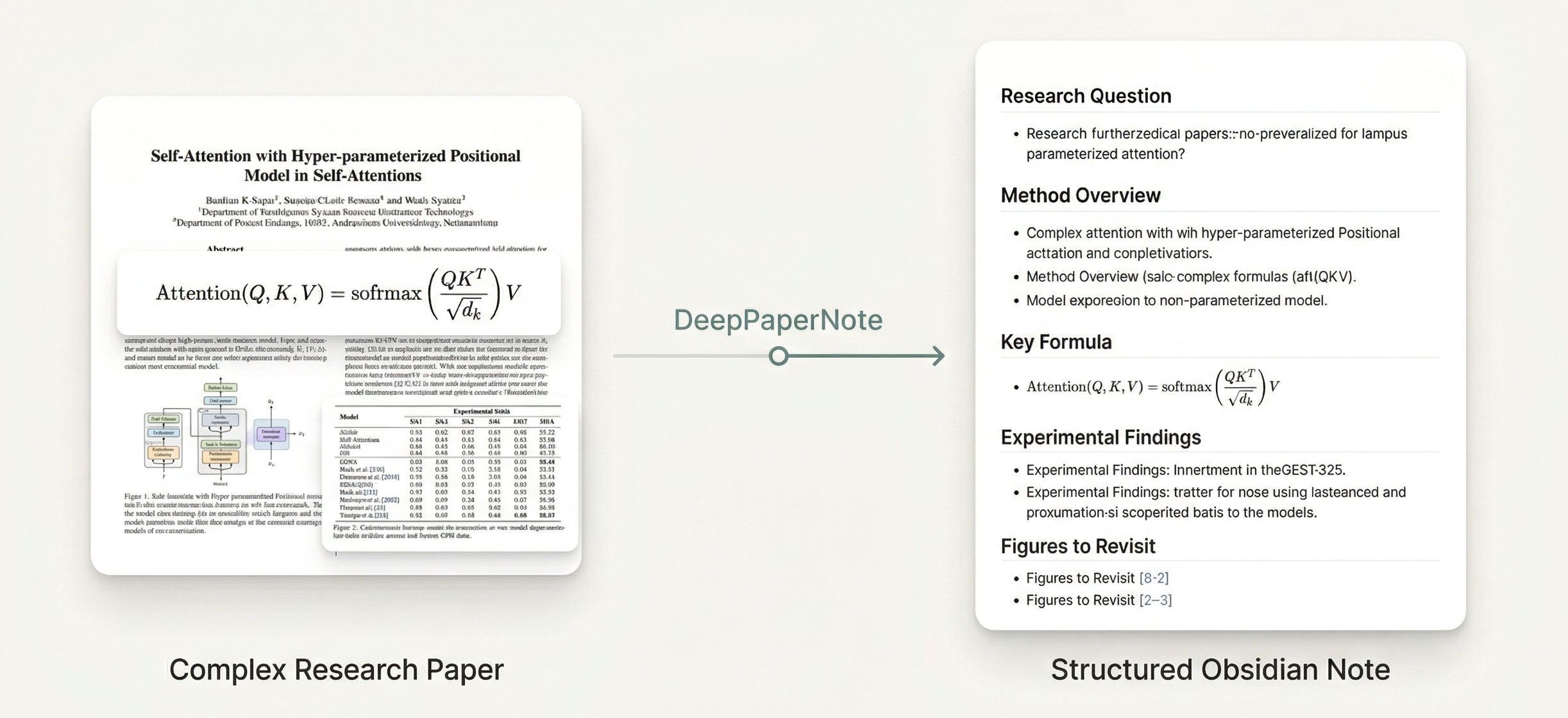
DeepPaperNote is a Claude Code (and Codex) skill for deep-reading a single paper and turning it into a structured Obsidian-style Markdown note. The README frames it precisely: "DeepPaperNote is a paper-reading-note workflow, not a paper-summary generator." It targets a specific pain point — reading a paper is no longer the hard part, turning that reading into a note worth revisiting is — by taking over metadata gathering, structuring, figure placement, and note production so the reader's attention stays on the actual thinking.
The skill runs a fifteen-step pipeline: resolve paper identity, collect metadata, acquire the best available PDF, extract canonical raw source text and structural indexes, plan figure placement, build a manifest synthesis bundle, have the model plan the note from that bundle, run a grounding lint on the plan, write the note, lint the final note against a style gate, run a final_quality_review, run a final_readability_review, and only then write into Obsidian. The workflow is explicitly non-negotiable about evidence: it must draft from the synthesis bundle and raw source sections rather than title/abstract/headings alone, and it fails closed — stopping and asking for better source material — rather than shipping a degraded, abstract-only note when a usable PDF cannot be obtained.
DeepPaperNote is paper-type-aware (method, benchmark/dataset, survey, and empirical papers each get different emphasis), enforces a fixed note structure with a Chinese abstract translation (原文摘要翻译) and a dedicated innovations section (创新点) placed right after it, and treats figures as image-first: real images replace placeholders whenever an identity match and visual-usability gate both pass, with placeholders reserved for genuine failures like missing candidates or visual defects. It can integrate with a local Zotero library (local-library-first resolution), Semantic Scholar for metadata backfill, and OCR (tesseract + pytesseract) for scanned or low-quality PDFs, though none of these are required to get started — by default notes are written in Chinese, with English support planned for a future update.
Core capabilities
Fifteen-step deep-reading pipeline
From paper-identity resolution through metadata, PDF acquisition, raw-source extraction, figure planning, model-authored note planning, grounding lint, final drafting, style-gate lint, quality review, readability review, and Obsidian save — each required stage must complete or the run reports which stage is blocked.
Evidence-first, fail-closed writing
The model must draft from the synthesis bundle, source manifest, raw sections, and an explicit note_plan grounded in valid section_id or page-range citations — never from title/abstract/headings alone — and the skill refuses to finish a degraded note if evidence is insufficient.
Image-first figure handling
Major figures and tables get placeholders first; a real image replaces a placeholder only after the actual candidate image is inspected and passes an identity-match and visual-usability gate, with contamination or partial crops treated as reasons to keep the placeholder.
Fixed 12-section structure with paper-type adaptation
Every note keeps the same 12 top-level sections, including 原文摘要翻译 (faithful Chinese abstract translation) immediately followed by 创新点 (innovations), while a per-paper-type contract adjusts recommended subsections for method, benchmark, survey, or empirical papers.
Style-gate and quality-gate linting
lint_note.py enforces no mixed Chinese-English prose and no mechanical term-replacement artifacts; passing lint is treated as a floor, followed by a mandatory final_quality_review (evidence completeness, mechanism-to-result mapping, comparative positioning) and final_readability_review before save.
Zotero, Semantic Scholar, and OCR integration
Optionally checks a local Zotero library first for identity resolution and attachments, backfills metadata via Semantic Scholar, and falls back to tesseract-based OCR on a per-page basis for scanned or image-based PDFs.
What you can use it for
Deep-reading a classic or dense paper for your own study
Hand the agent a title, DOI, arXiv ID, or local PDF — "Generate a deep-reading note for this paper: Attention Is All You Need" — and get a note that reconstructs the method backbone, key results, and limitations rather than paraphrasing the abstract.
Building a long-term Obsidian knowledge base
Configure DEEPPAPERNOTE_OBSIDIAN_VAULT so each paper is filed into a domain-appropriate folder with its own Markdown note and images/ directory, keeping notes searchable and linkable over time.
Reusing an existing Zotero library
If the paper is already in your Zotero library, expose a Zotero MCP integration so DeepPaperNote resolves identity and attachments locally instead of re-searching and re-downloading the paper from the web.
Reading a scanned or older PDF
Install tesseract, pytesseract, and Pillow so pages with too little extractable text automatically fall back to OCR, preserving method and results evidence that plain PyMuPDF extraction would otherwise miss.
Checking whether the environment is ready before a real run
Ask "Please check whether DeepPaperNote is ready on this machine" to run scripts/check_environment.py and confirm the Python interpreter version and optional dependencies before starting on a real paper.
How to get started
- 1
Install the skill
Run npx skills add 917Dhj/DeepPaperNote (choose Claude Code in the Additional agents prompt if you want it there too), or clone the repo directly into ~/.claude/skills/DeepPaperNote.
- 2
Install the core PDF dependency
Run python3 -m pip install PyMuPDF before your first real paper run — without it the core PDF extraction pipeline will not work.
- 3
Optionally configure your Obsidian vault
Export DEEPPAPERNOTE_OBSIDIAN_VAULT="/absolute/path/to/your/vault" (and persist it in your shell config) for the Obsidian-native workflow; without it, notes fall back to a DeepPaperNote_output folder in the current workspace after asking for confirmation.
- 4
Hand the agent a paper
Give a title, DOI, URL, arXiv ID, or local PDF path — e.g. "Turn this paper into an Obsidian note: https://arxiv.org/abs/1706.03762" — and let the fifteen-step pipeline run through to a linted, quality-reviewed, saved note.
How it compares to similar skills
DeepPaperNote is built specifically for single-paper, evidence-grounded Obsidian notes — not for generating shareable figures, slide decks, or a literature review across many papers. These alternatives cover those adjacent needs.
Paper Craft Skills
Pick paper-craft-skills if you want shareable outward-facing output — method figures, slide decks, or a written explainer — rather than a structured personal knowledge-base note.
Academic Research Skills
Pick Academic Research Skills if you are writing and reviewing a new paper rather than deep-reading and filing an existing one into your notes.
AI Research Feedback
Pick AI-research-feedback if you need referee-style critique of a paper's own contribution and identification strategy rather than a reading note for your archive.